A few weeks ago we shipped AI-powered alert explanations, one-click summaries of individual alerts. Then we added an MCP server so you could query SilentPulse from Claude Code or Cursor.
Both were useful. Neither felt complete.
Alert explanations only work when you’re already looking at a specific alert. MCP is powerful, but it requires a terminal and a separate client. What about the analyst who just wants to ask a quick question inside the dashboard, without opening another tool or clicking through five pages?
That’s why we built Mia.
One question, full context
Mia is an AI chat assistant built into the SilentPulse dashboard. Click the chat icon, type a question, and get an answer backed by live data from your environment.
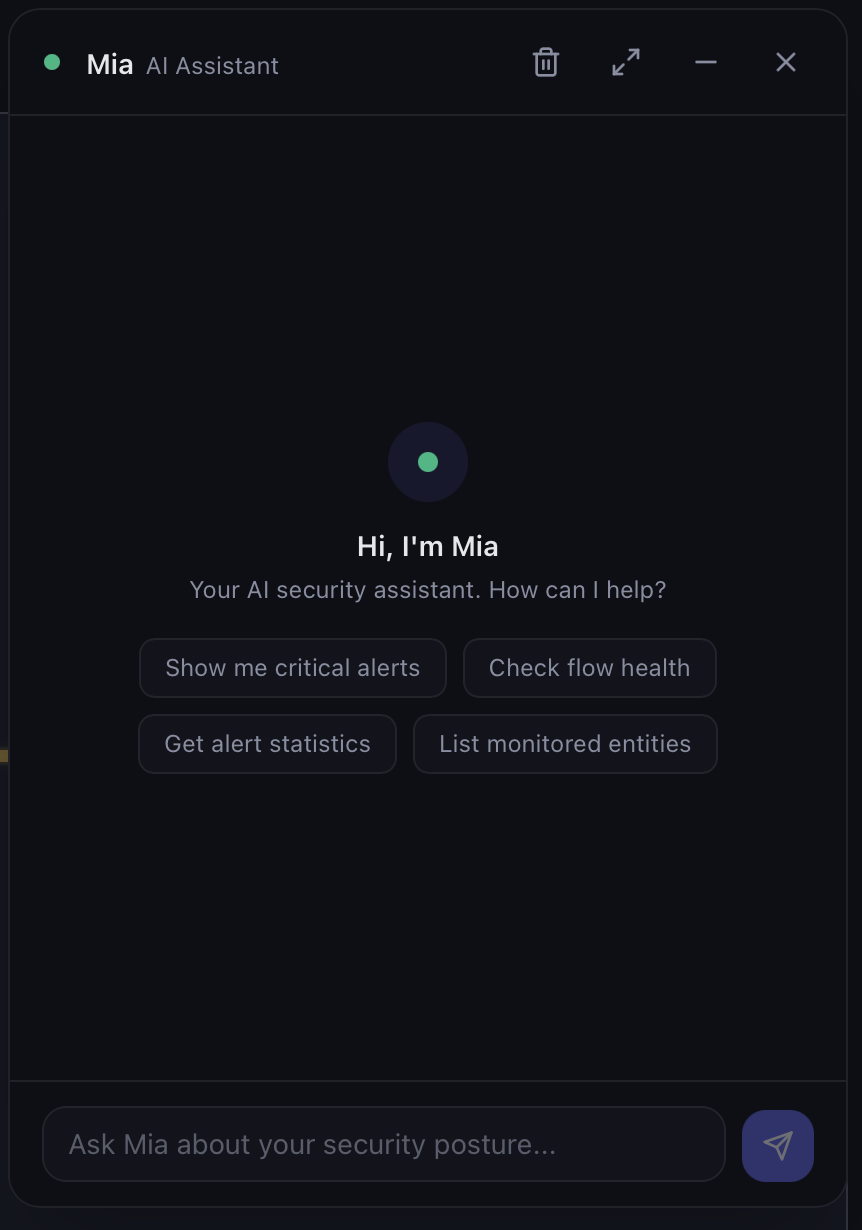
No extra configuration needed. Mia uses the same BYO LLM provider (Ollama, OpenAI, Anthropic) and the same MCP tools you already have set up. The only difference is the interface: a conversation panel that lives where you work, instead of a terminal.
What Mia can do
Mia doesn’t guess. She calls tools, retrieves real data, and puts together a response. Every answer shows which tools were called and what data came back. Full transparency, no black box.
”How long was our EDR blind last week?”
Mia calls get_alert_stats for the high-level numbers, then search_alerts to pull the details. You get a table of every detection gap, how long each lasted, and which MITRE tactics were at risk.
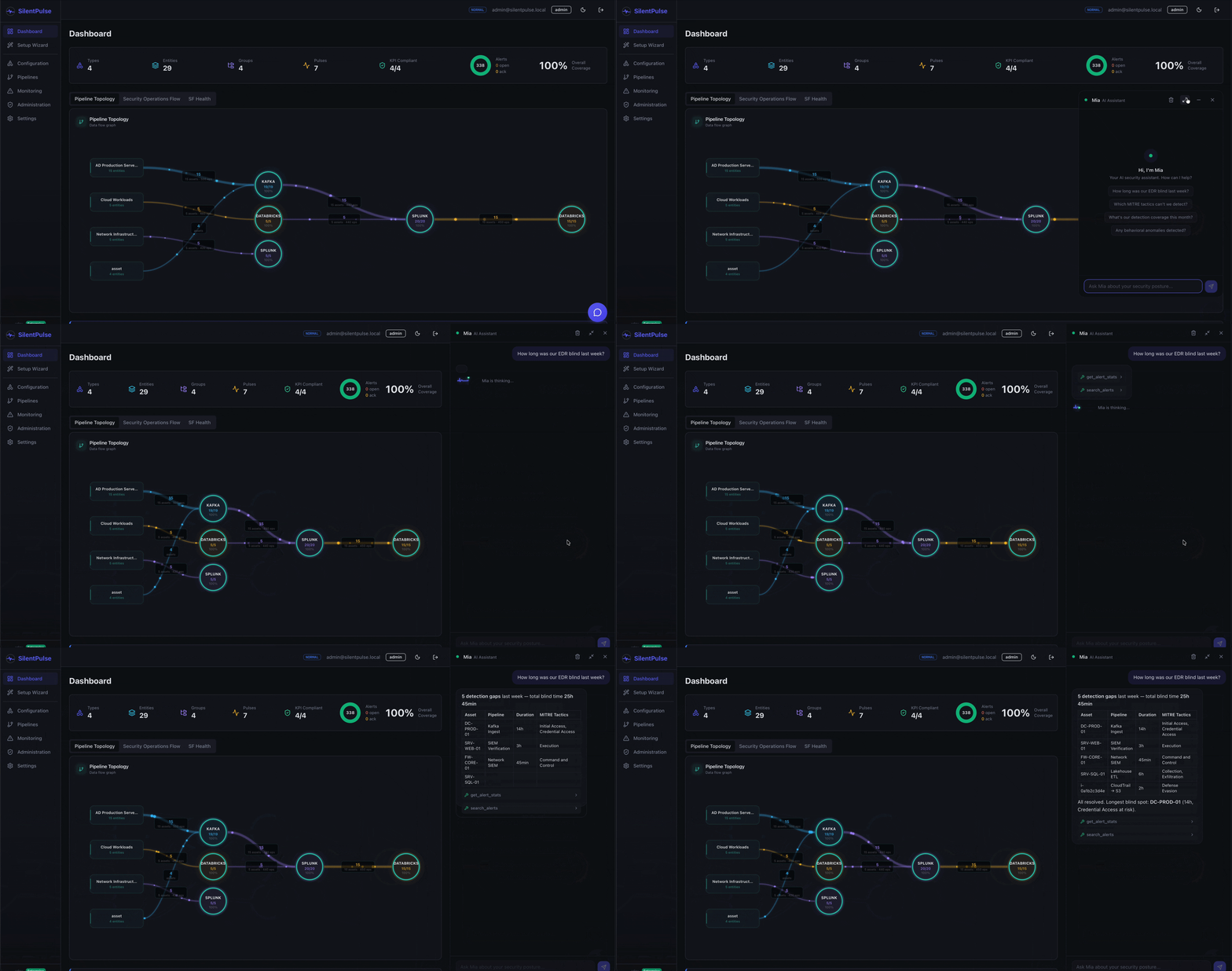
No dashboard hopping. No manual filtering. One question, full picture.
”Which MITRE tactics can’t we detect?”
Mia calls get_mitre_coverage and surfaces the tactics where coverage is weakest. In this case: Reconnaissance at 11%, Initial Access at 20%, Resource Development at 21%.
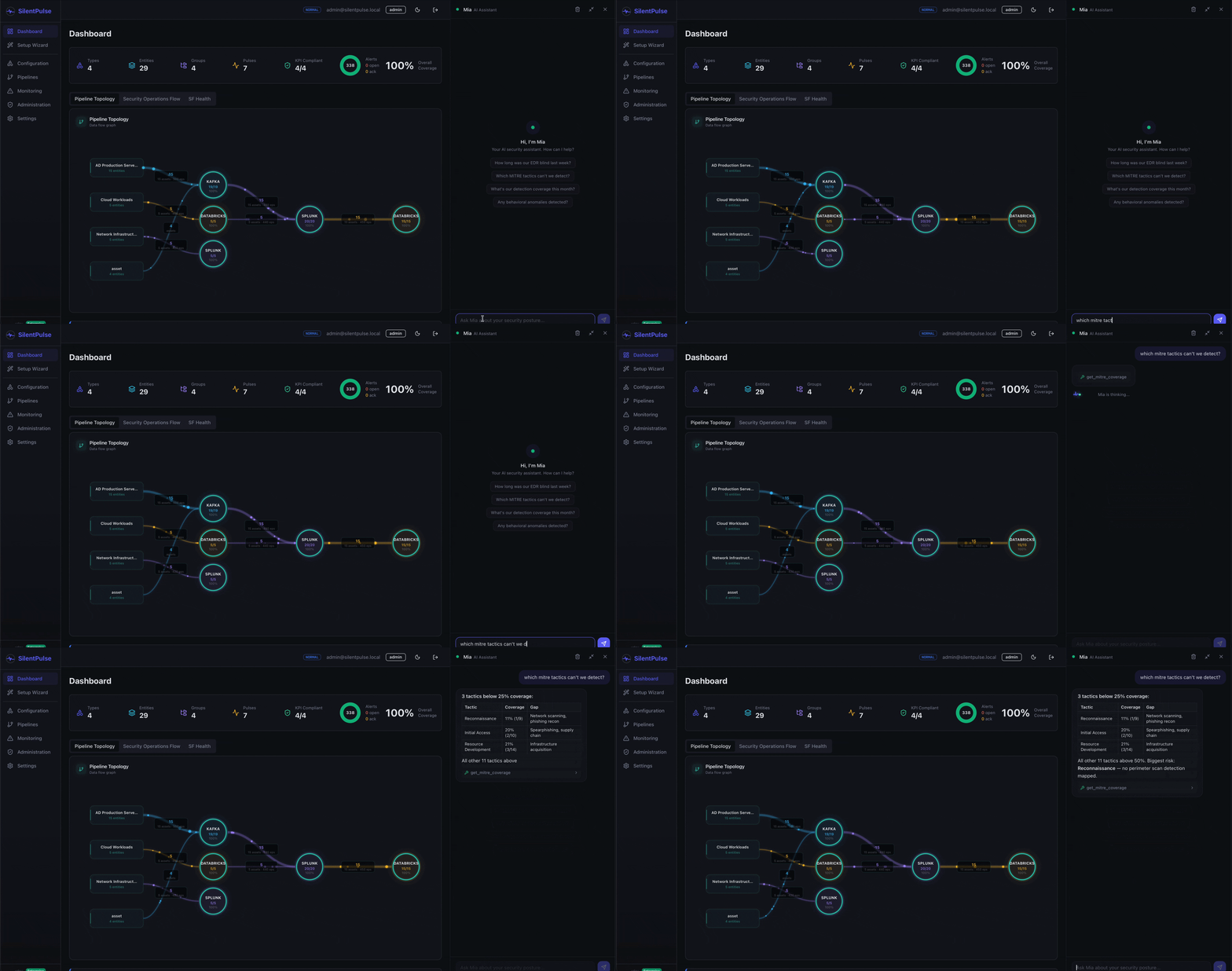
This kind of question normally requires navigating to the MITRE dashboard, setting filters, and mentally aggregating numbers across rows. Mia gives you the answer in seconds.
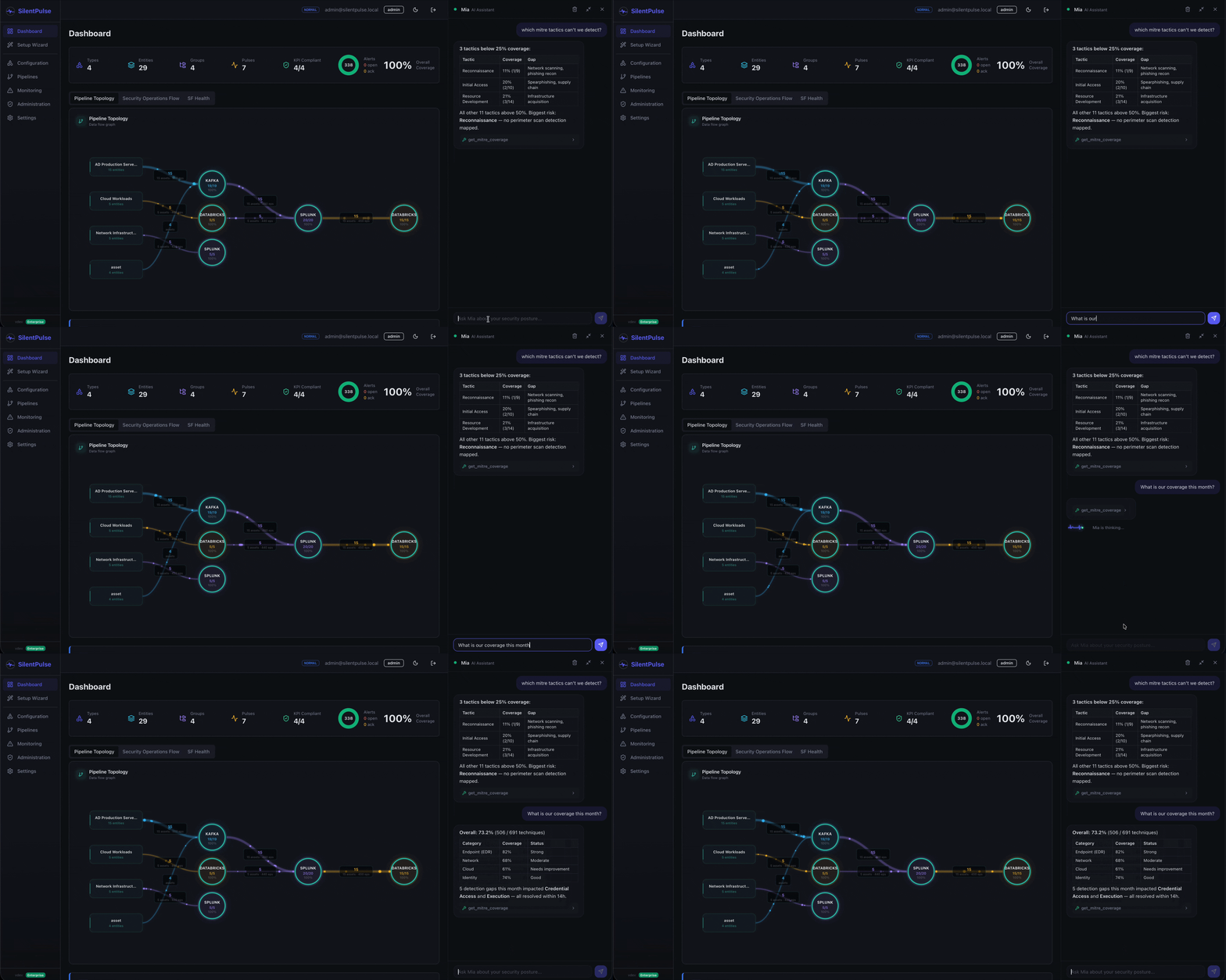
”What’s our detection coverage this month?”
A broader view. Mia returns the overall coverage percentage and breaks it down by category (endpoint, network, cloud, identity) so you can see where you’re strong and where you need investment.
“Any behavioral anomalies detected?”
Mia queries the behavioral analysis engine and returns active anomalies: volume drops, silence events, volume spikes. Each row shows the pulse, severity, status, and a short explanation.
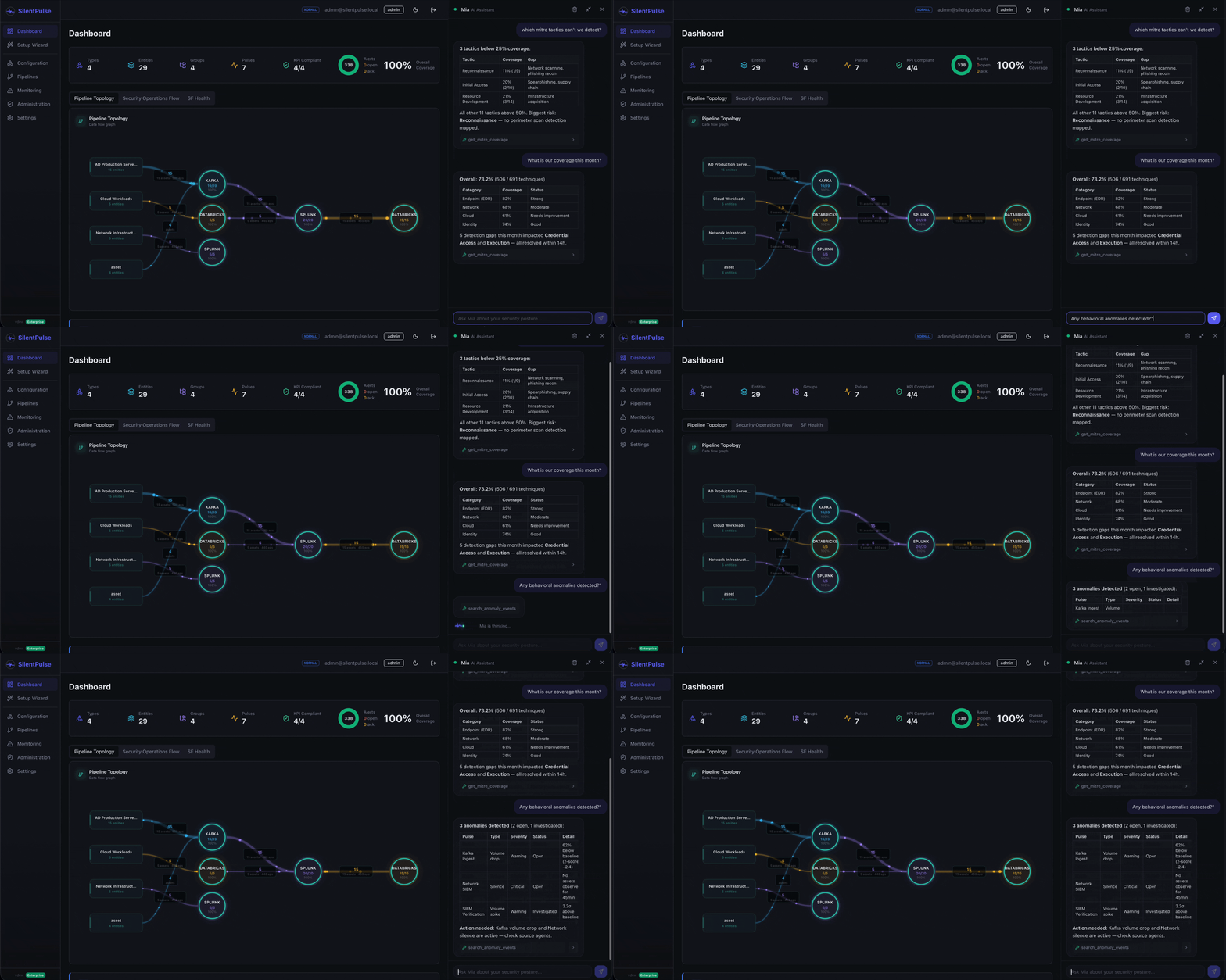
The “action needed” callout at the bottom matters. It’s not just data, it’s a nudge toward the next step.
What else can you ask?
The demos above cover the highlights, but Mia handles a much wider range of questions. Some examples by use case:
Incident triage
- “Show me all open alerts for the finance asset group”
- “What happened to DC-PROD-01 in the last 24 hours?”
- “Are there any alerts related to lateral movement?”
- “Which assets have been silent the longest?”
Posture assessment
- “What’s the overall health of our monitoring pipelines?”
- “Which flows are currently disabled?”
- “How many assets are unmonitored right now?”
- “Compare endpoint vs. cloud coverage”
MITRE ATT&CK analysis
- “Which techniques under Credential Access have coverage gaps?”
- “If our Kafka pipeline goes down, what MITRE tactics do we lose?”
- “Show me all techniques in the Execution tactic with active alerts”
- “What’s our coverage trend for the last 30 days?”
Operations and reporting
- “Summarize this week’s alert activity”
- “Which asset groups triggered the most alerts this month?”
- “Show me the audit log for flow configuration changes”
- “List all exclusion windows active right now”
Behavioral analysis
- “Which pipelines are showing unusual volume patterns?”
- “Has there been any silence longer than 30 minutes today?”
- “What’s the baseline EPS for our network flow?”
- “Show me volume trends for the last 7 days”
If SilentPulse has the data, Mia can answer the question. She has access to the same MCP tools that power the terminal integration (alerts, flows, entities, MITRE coverage, behavioral analysis, audit logs) and chains multiple tool calls when needed.
How it works
The architecture is simple:
- You type a question in the chat panel.
- The backend builds a prompt with your question, system context (tenant, date, active modules), and the available MCP tools.
- The LLM decides which tools to call, runs them against your live data, and writes the response.
- Mia streams everything back. Tool calls appear as they execute, then the answer streams word by word.
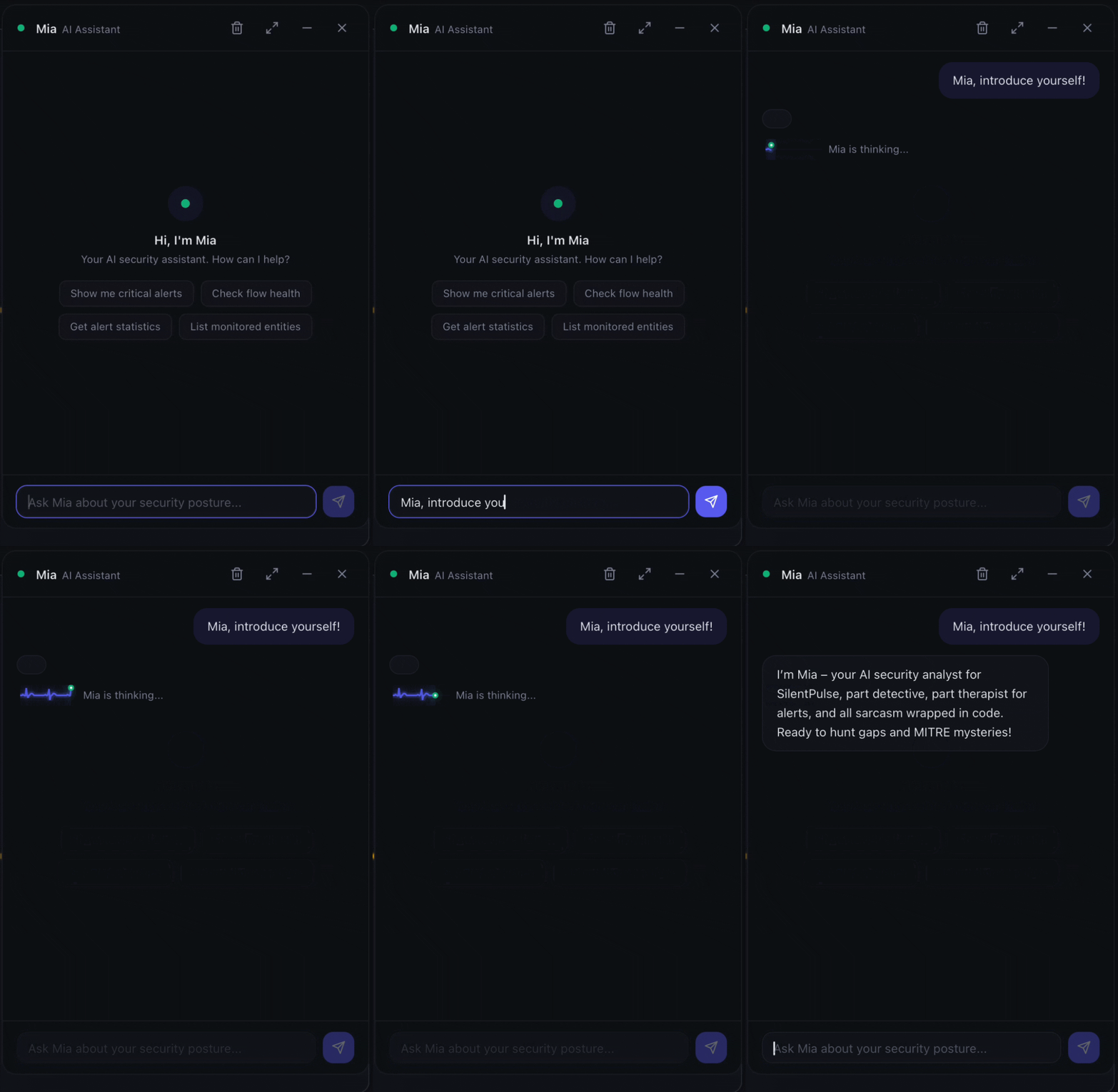
Tool calls show up in the chat as collapsible chips. You can expand them to see exactly what was queried and what came back. When Mia says “5 detection gaps last week”, you can verify the underlying data with one click. That’s not just a UX choice, it’s an auditability feature.
Streaming, not waiting
Mia uses server-sent events (SSE) to stream responses. Tool call chips appear as the LLM works through the question, then the markdown answer streams in word by word. No 30-second spinner, no “generating…” placeholder. You see progress as it happens.
BYO LLM, same principle, same control
Mia inherits the BYO LLM architecture from the AI module. Whatever provider you configured for alert explanations (Ollama, OpenAI, Anthropic), Mia uses the same one.
No additional API keys. No separate billing. No data leaving your network unless you chose a cloud provider. If you run Llama locally via Ollama, Mia’s queries never leave your Kubernetes cluster.
When to use Mia vs. dashboards vs. MCP
Three interfaces, three different workflows:
| Interface | Best for | Who uses it |
|---|---|---|
| Dashboards | Monitoring, visual patterns, daily reviews | SOC analysts, managers |
| MCP server | Automation, scripting, IDE-integrated queries | Detection engineers, DevSecOps |
| Mia | Ad-hoc questions, quick checks, incident triage | Everyone |
Mia doesn’t replace dashboards. She complements them. When you know exactly what you’re looking for, dashboards are faster. When you have a question that spans multiple views, like “how long was our EDR blind and which MITRE tactics were affected?”, Mia pulls the answer from multiple tool calls in one response.
What’s next
Mia is live today. Coming up in future releases:
- Write operations - acknowledge alerts, tag entities, create exclusion windows, all from chat
- Conversation memory - follow-up questions work naturally within a session
- Suggested follow-ups - Mia proposes logical next questions after each answer
- Expanded sidebar mode - drag to resize the chat panel for deeper analysis
Mia is an optional module. SilentPulse works exactly the same without it. But once you try asking “what am I blind to right now?” and getting an answer in five seconds, clicking through dashboards starts to feel slow.
SilentPulse is a security visibility monitoring system. Mia is part of the AI Assistant module. Get started on GitHub or read the architecture overview to understand the platform.